Features
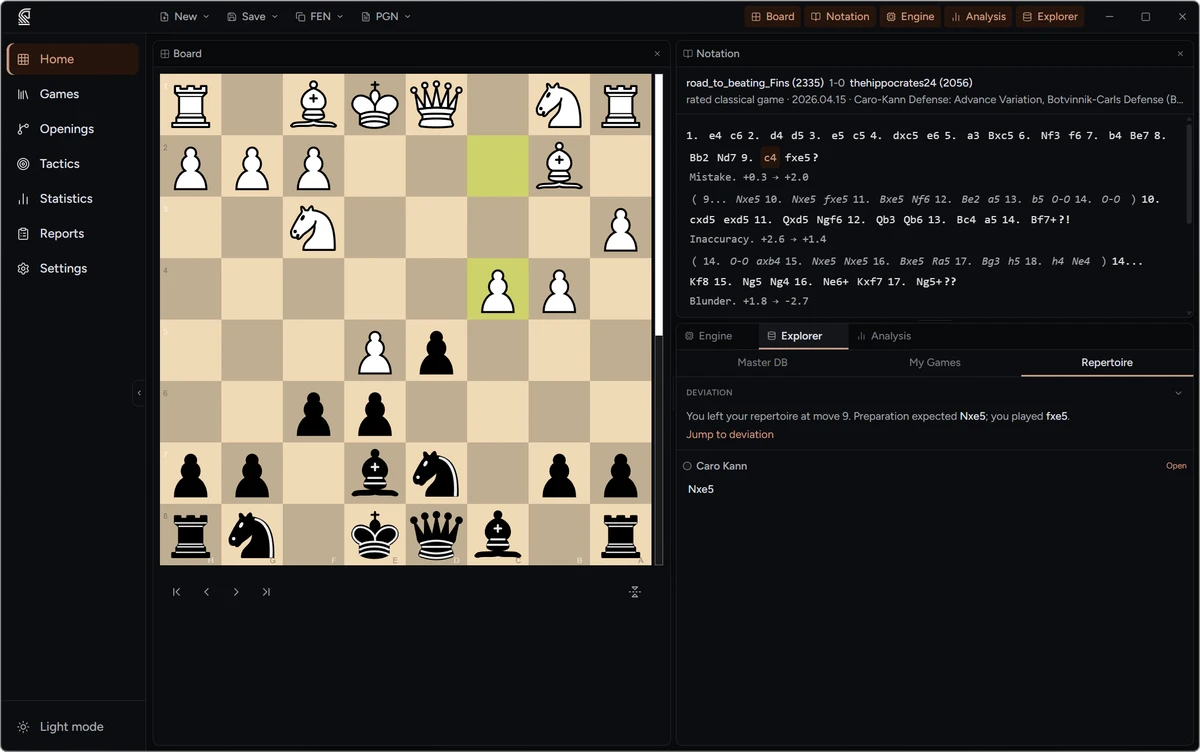
Masterboard is built for the complete game-improvement workflow — from game import through analysis, repertoire, and training. Here's what's inside.
Game Library & Import
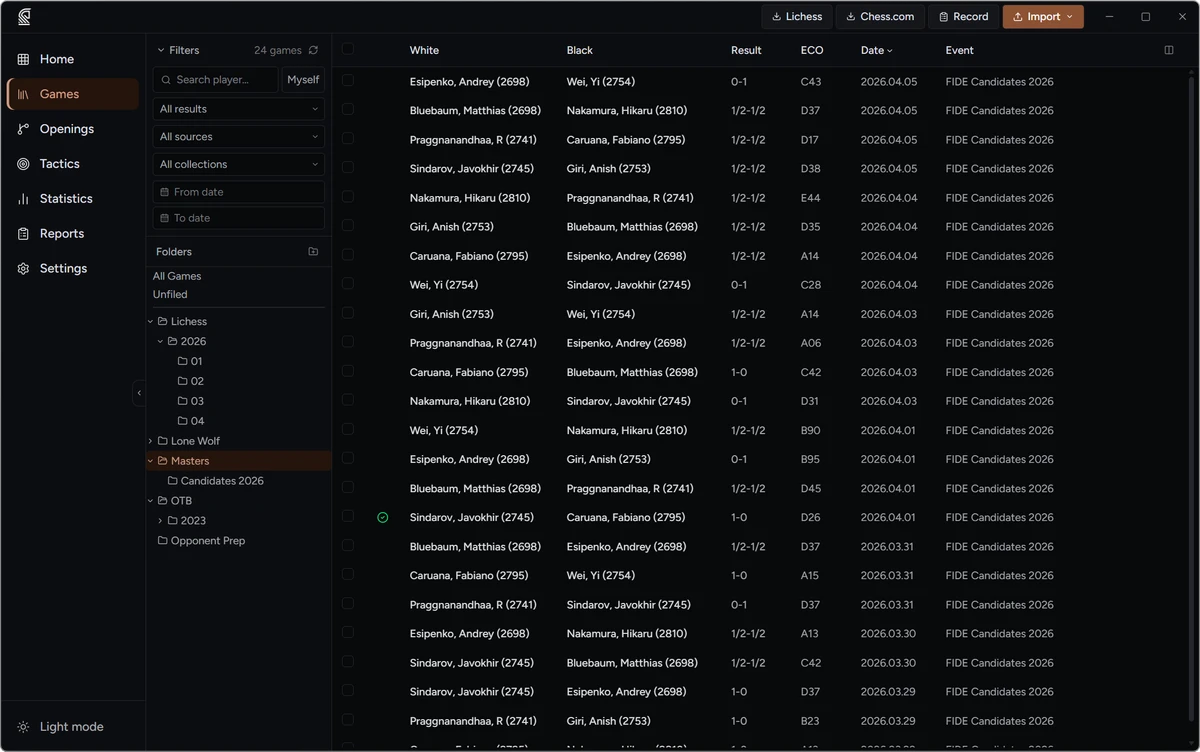
Every game you have ever played, in one searchable database.
- Import from chess.com and Lichess by username, with date-range and time-control filters
- Automatic background sync — new online games import on their own, filed where you want them
- Import PGN files or whole folders, and record over-the-board games directly
- Duplicate detection on every import — the same game is never stored twice
- Organise with folders and cross-cutting collections; filter by player, result, ECO, or source
Annotation & Board Editor
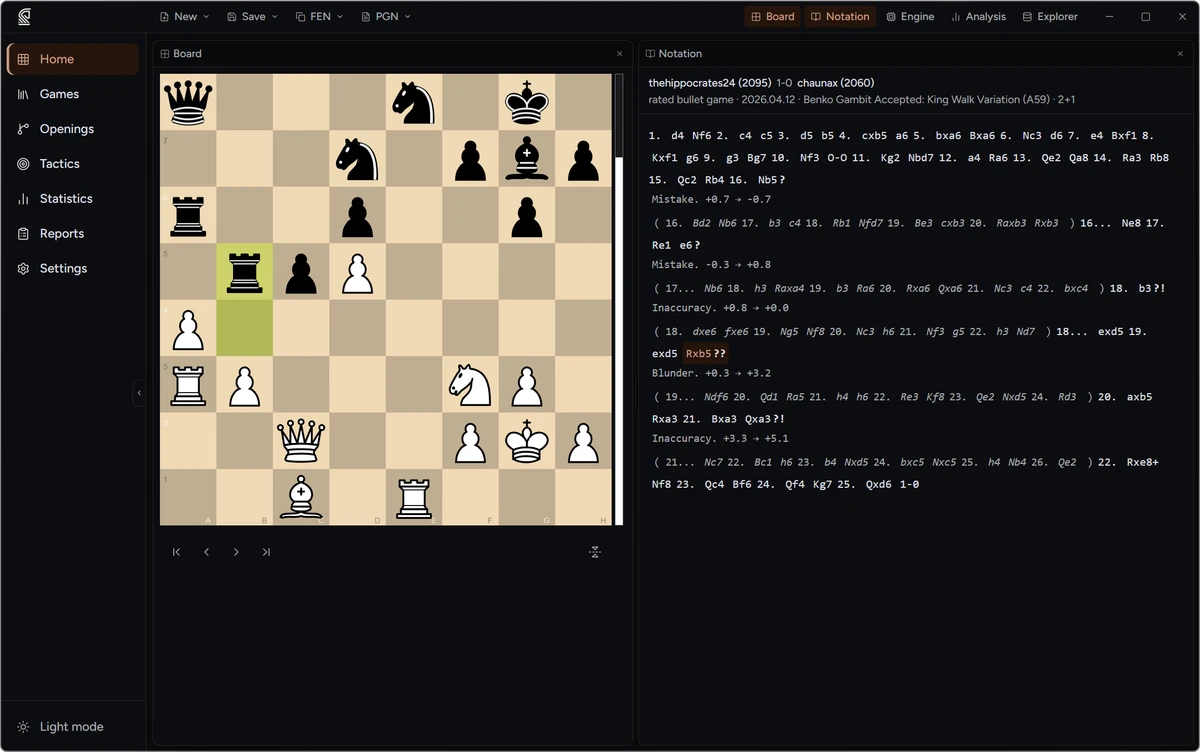
A full variation tree and PGN-native annotation — no proprietary lock-in.
- Full variation tree with nested alternatives — not just a linear move list
- NAG symbols (!, ?, !!, ??, !?, ?!) and free-text comments on any move
- Board arrows and square highlights saved with the game
- Board editor to set up any position from scratch or by pasting a FEN
- Everything saved in standard PGN — copy FEN or PGN anywhere, no lock-in
Engine Analysis
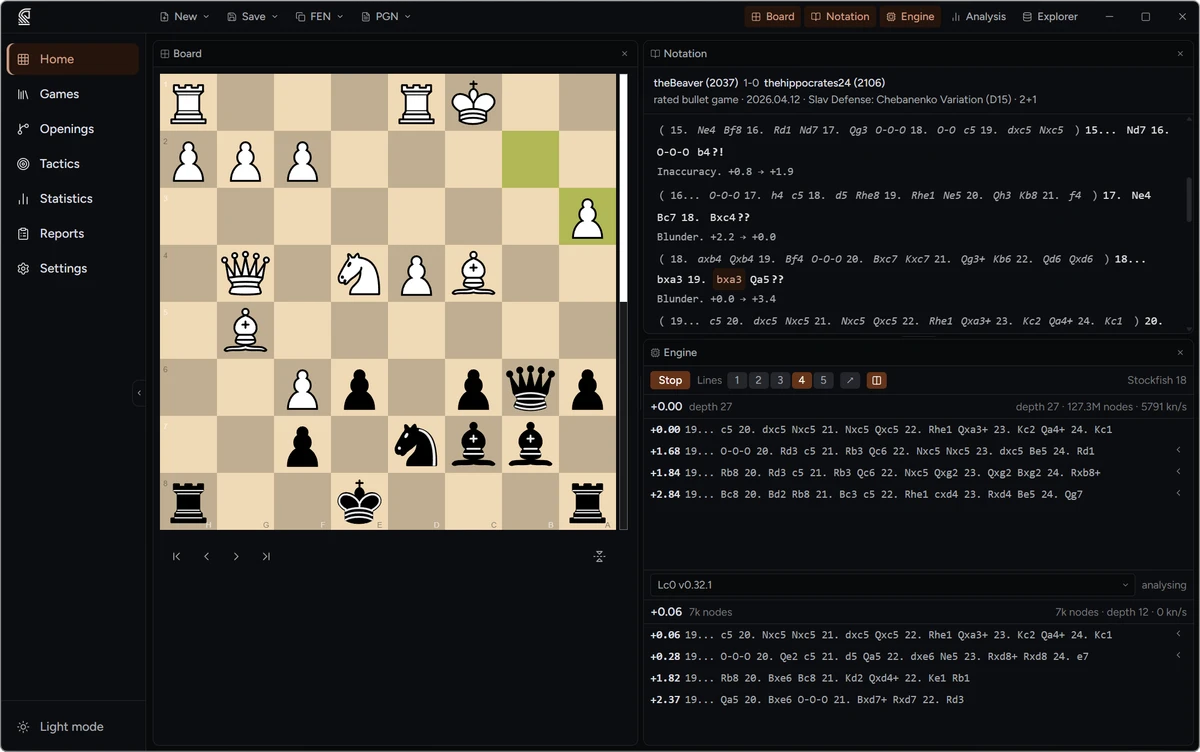
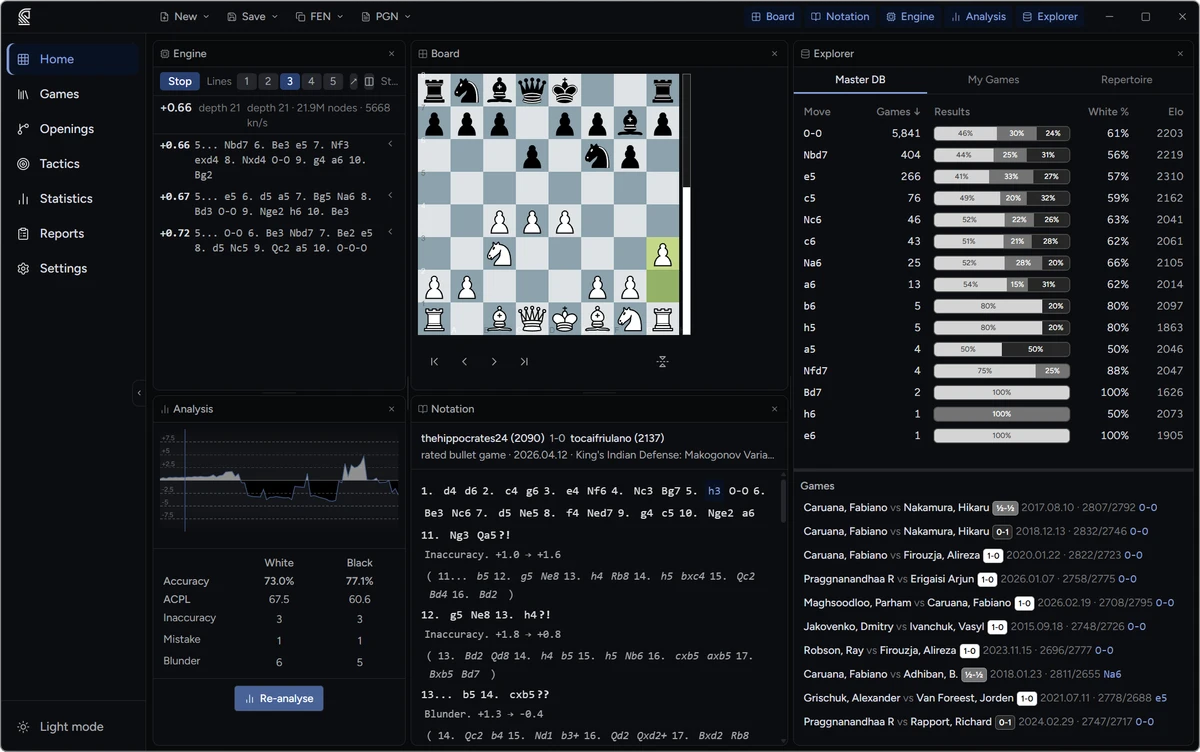
One-click setup, live multi-PV, and automatic move classification on every game.
- One-click Stockfish download — the right CPU build chosen automatically
- Leela Chess Zero and human-style Maia networks (1100–1900), or any UCI engine
- Multi-PV up to 5 lines with best-move arrows; click a line to jump there
- Automated analysis tags every inaccuracy, mistake, and blunder
- Run two engines side-by-side on the same position
Opening Repertoire
Build White and Black repertoires as visual trees, cross-referenced against real games.
- Separate repertoires for White and Black, built as a visual variation tree
- Import an entire repertoire from PGN — or any public Lichess Study — in one step
- Live ECO classification as you step through your lines
- Master games and your own history shown beside your preparation
- Add new opponent moves directly from the Explorer panel
- Deviation panel pinpoints where your real games keep leaving prep, ranked by how often each gap recurs
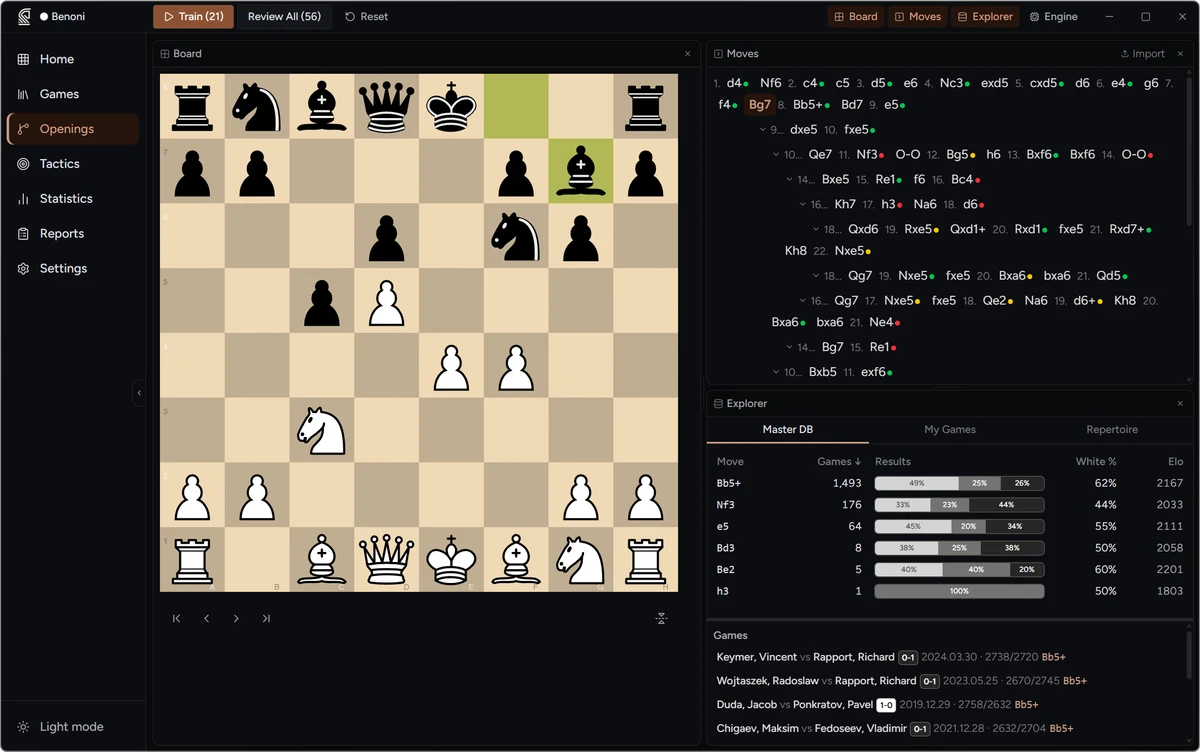
Master Database Integration
Millions of master games, downloadable right inside the app.
- Download a ready-made master database in-app — no multi-gigabyte PGN wrangling
- Choose a slice to fit your disk: Masters (2200+), Elite (2400+), or the Full 10M+ database
- In-app delta updates download only what changed, verified end-to-end
- Move popularity, W/D/L%, and average Elo at any position
- Or index your own PGN collection for personal-game statistics alongside it
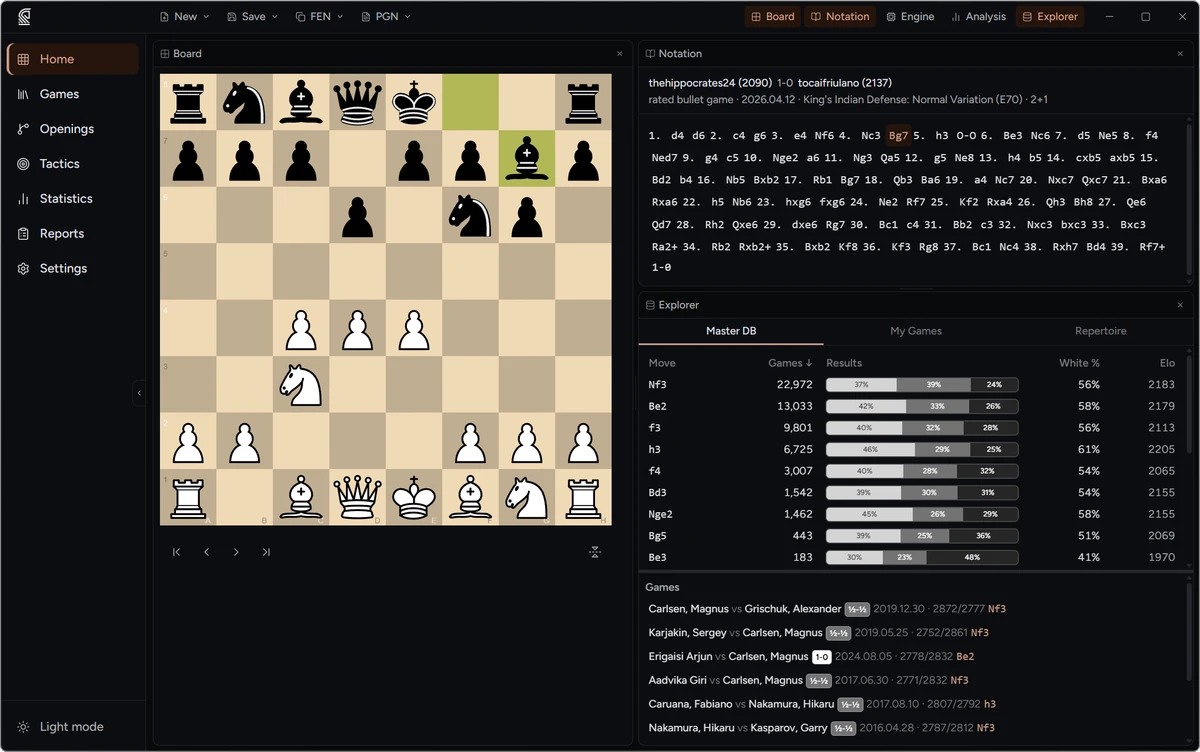
Training
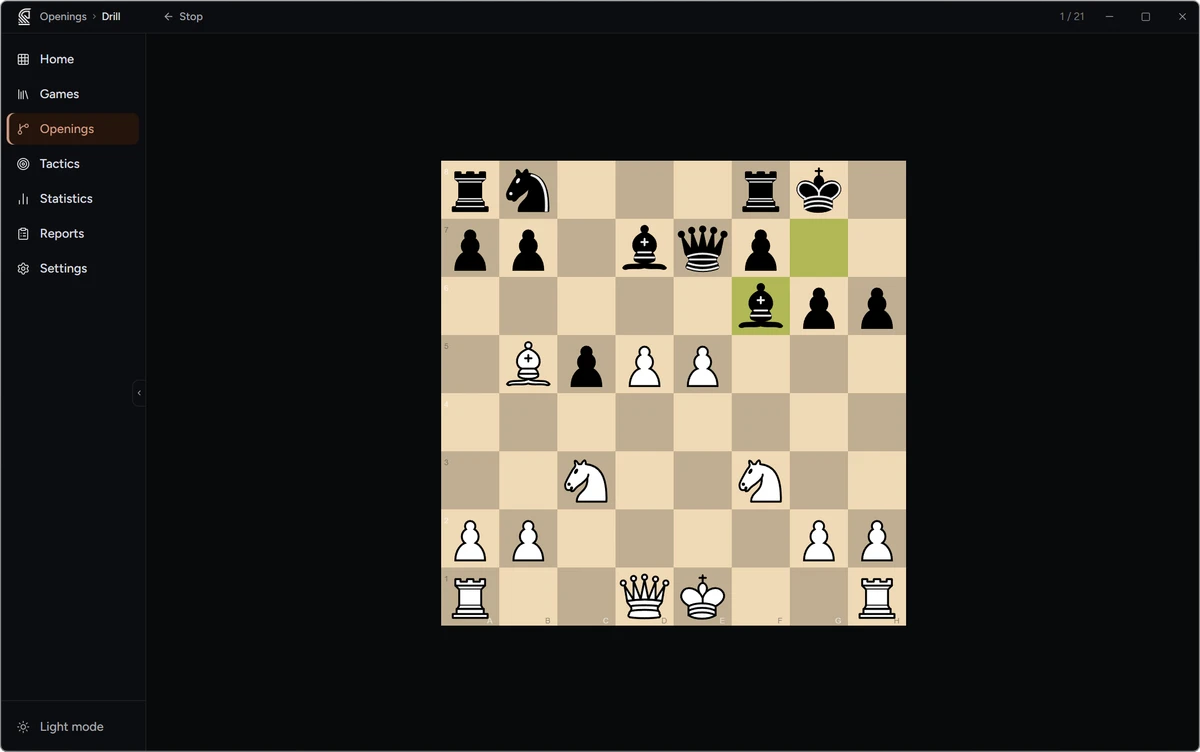
Spaced-repetition drills that adapt to how well you know each line.
- FSRS spaced repetition — your schedule adapts to how well you know each move
- The app plays opponent moves automatically; your responses are scored immediately
- Drill your full repertoire, a single colour, or any branch
- Review mode walks the whole repertoire regardless of schedule — ideal before a tournament
- Coverage heatmap showing recall probability for every move in the tree
Guess the Move
Play through any game as one side and test yourself against the engine.
- Play through any saved game as one side and try to match the moves
- Scored against the engine — the best move earns full marks even when it differs from what was played
- An Elo-style rating tracks your guessing strength and improves across sessions
- Works on any game in your library: your own games, master games, or study material
Personal Statistics Dashboard
See exactly where your results come from — and where they leak.
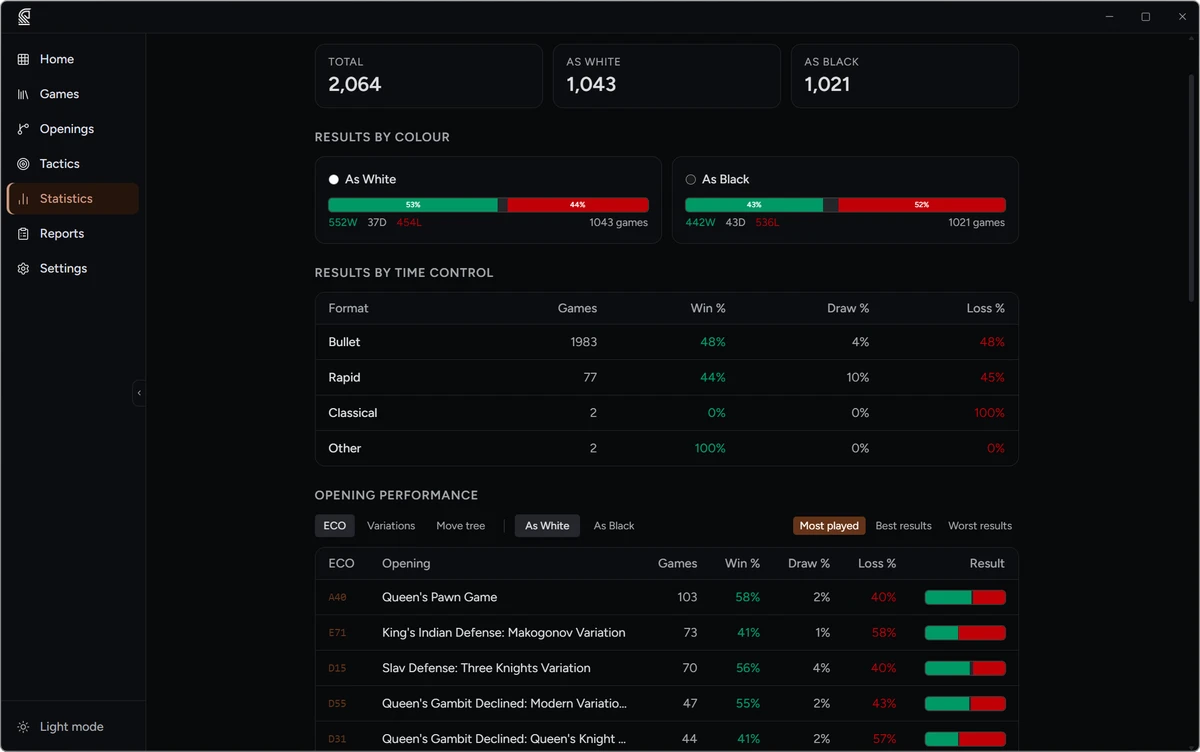
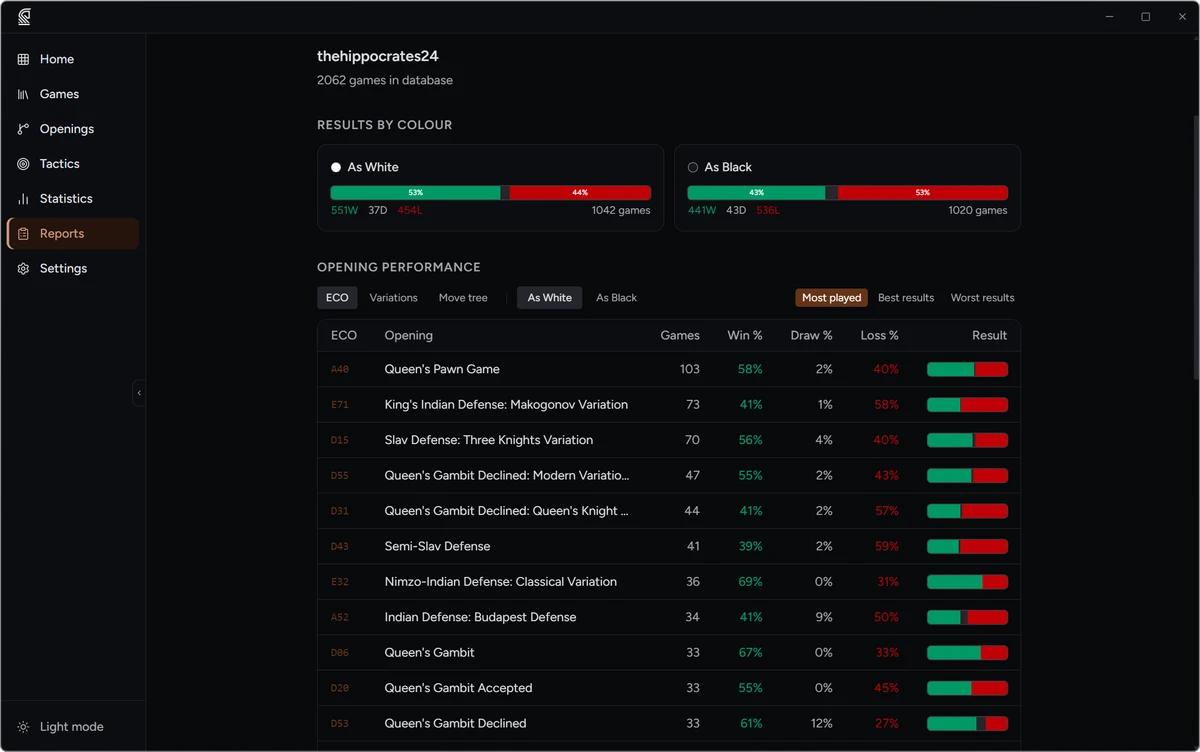
- W/D/L results broken down by colour, time control, and opening
- Accuracy trend chart to track improvement over time
- Blunder heatmap showing which squares appear most in your mistakes
- Luck and opportunism rates: how often opponents gift you wins, and how often you convert
- Filter every figure by folder, collection, or date range
Opponent Preparation Report
Walk into your next game knowing exactly what they play.
- Search any opponent from your game library
- Results and opening tendencies broken down by colour
- Their most frequent and most successful systems, ranked by result
- Positions where they have deviated from their own established patterns
- Export the full report as PGN, or batch-analyse every game against them in one click
Personal Tactics
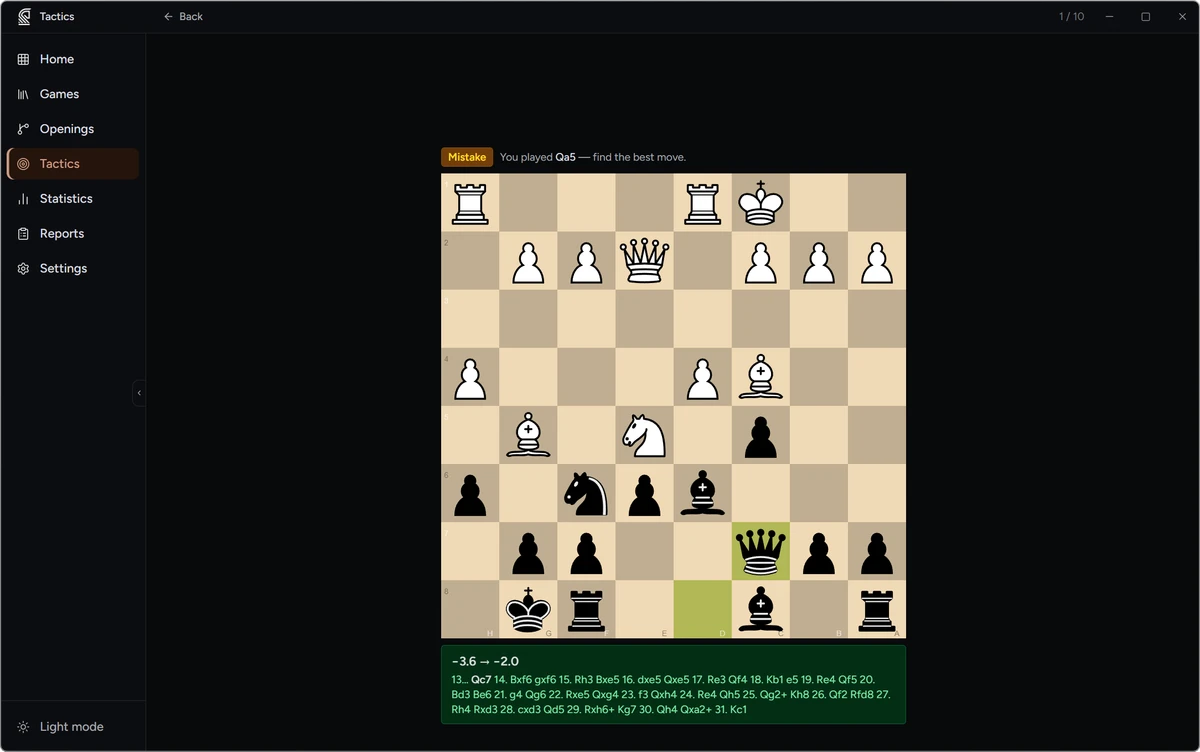
Puzzles built from the exact positions where you went wrong.
- Puzzles automatically extracted from your own games — the positions where you blundered
- FSRS scheduling: missed positions return sooner, mastered ones are spaced out
- Each puzzle links back to its source game, with adjustable strictness for what counts as correct
- Sessions run until nothing is due, with an end-of-session solve-rate summary
- The puzzle pool grows automatically as you analyse more games
Workspace & Customisation
Arrange the board, panels, and theme to match how you work.
- Drag, resize, and hide panels to match your workflow
- Board themes (Brown, Blue, Green, Purple) and five piece sets
- App accent palettes and dark/light mode with system-preference detection
- Connect chess.com and Lichess accounts for quick import
- Set your name once for automatic personal-game detection across all statistics
Universal Improvement Loop
Every game you play feeds tomorrow’s preparation.
- Import or record any game — OTB, chess.com, Lichess, or PGN
- One-click engine analysis flags blunders and inaccuracies automatically
- Opening deviation detection shows exactly where you left your prepared repertoire
- Add the opponent’s surprise move to your repertoire — it’s due in the next drill session
- Tactical mistakes from the game drop into your personal puzzle pool